Data Doctor
Privacy-First Data Quality Validation Tool
A privacy-first, browser-based tool for diagnosing and fixing spreadsheet data quality—no accounts, no uploads to third parties.
Overview
Data Doctor is a free, open-source data quality application built for people whose jobs depend on spreadsheets but who are tired of being the human automation layer. It provides a guided, medical-themed workflow to validate, clean, and standardize CSV and Excel files without requiring accounts, installations, or database connections.
The application runs entirely in-memory in the browser, allowing users to define repeatable validation rules, remediate common data issues, and export both cleaned data and reusable validation contracts.
Context / Risk
Data quality failures are rarely caused by complex edge cases. More often, they stem from simple issues: missing values, inconsistent formats, silent type coercion, duplicated records, or logical contradictions between columns. These problems surface late—during reporting, reconciliation, or audits—when the cost of fixing them is highest.
Existing solutions either target large enterprises with expensive tooling or require technical fluency (regex, schemas, scripting) that excludes business users who work closest to the data.
The Problem
Most spreadsheet users face the same barriers when trying to improve data quality:
- Enterprise tools are expensive and inaccessible to individuals or small teams
- Setup requires databases, APIs, or IT involvement
- Cloud validators require uploading sensitive data to third-party servers
- Account creation adds friction for one-off or ad hoc validation
- Technical concepts like regex and schemas intimidate non-technical users
As a result, validation is often skipped entirely—or performed manually, inconsistently, and without documentation.
The Solution
Data Doctor reframes data quality as a guided diagnostic process. Users are walked through a structured, five-step workflow that progressively introduces complexity only when it is needed.
The tool is deliberately designed to be:
- Free: no pricing tiers, trials, or gated features
- Private: all processing happens in memory; no data is stored
- Accessible: usable by non-technical stakeholders
- Repeatable: validation logic can be saved and reused via YAML contracts
System Design
Data Doctor uses a wizard-style interface inspired by a medical metaphor to reduce cognitive load and anxiety. Each step has a clear purpose and tangible output.
Guided 5-Step Workflow
- Data Check-In: Upload files, preview data, configure columns
- Order Diagnostics: Define validation rules and quality checks
- Order Treatments: Configure cleaning and remediation strategies
- Review Findings: Inspect validation failures with actionable detail
- Download Reports: Export cleaned data, reports, and reusable contracts
A persistent sidebar provides session awareness, step navigation, and privacy reassurance throughout the workflow.
Product Views
The following screenshots show the primary screens of the Data Doctor application.
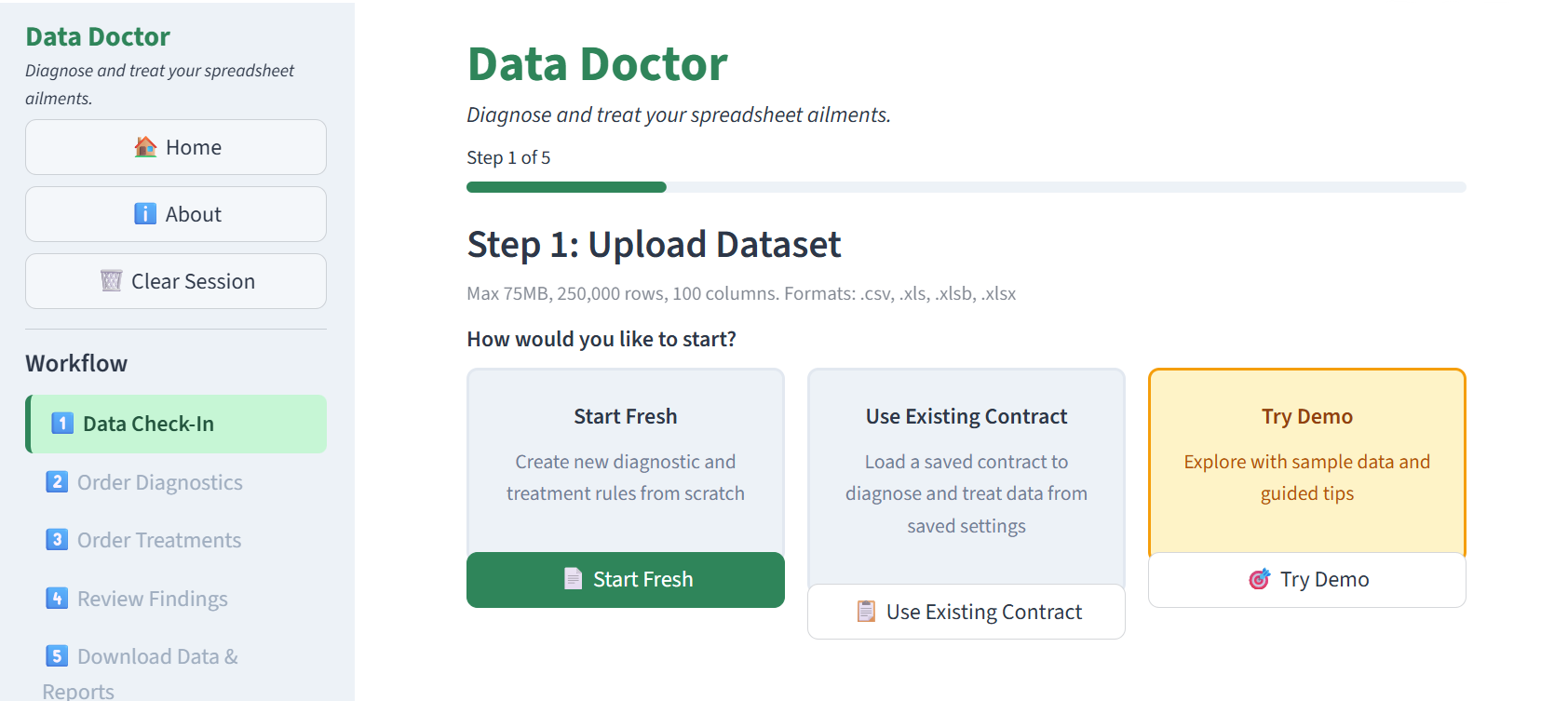
Welcome screen introducing the Data Doctor workflow and guiding users through the five-step process.
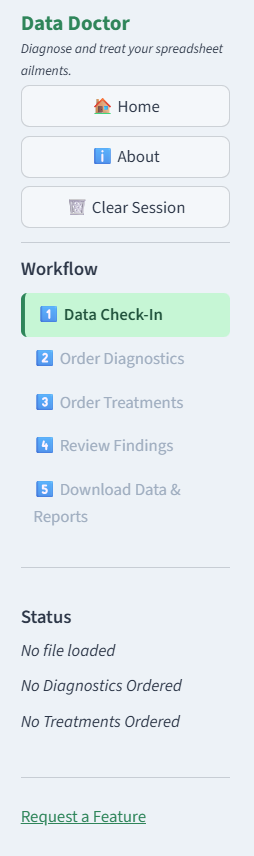
Persistent sidebar providing session awareness, step navigation, and privacy reassurance throughout the workflow.
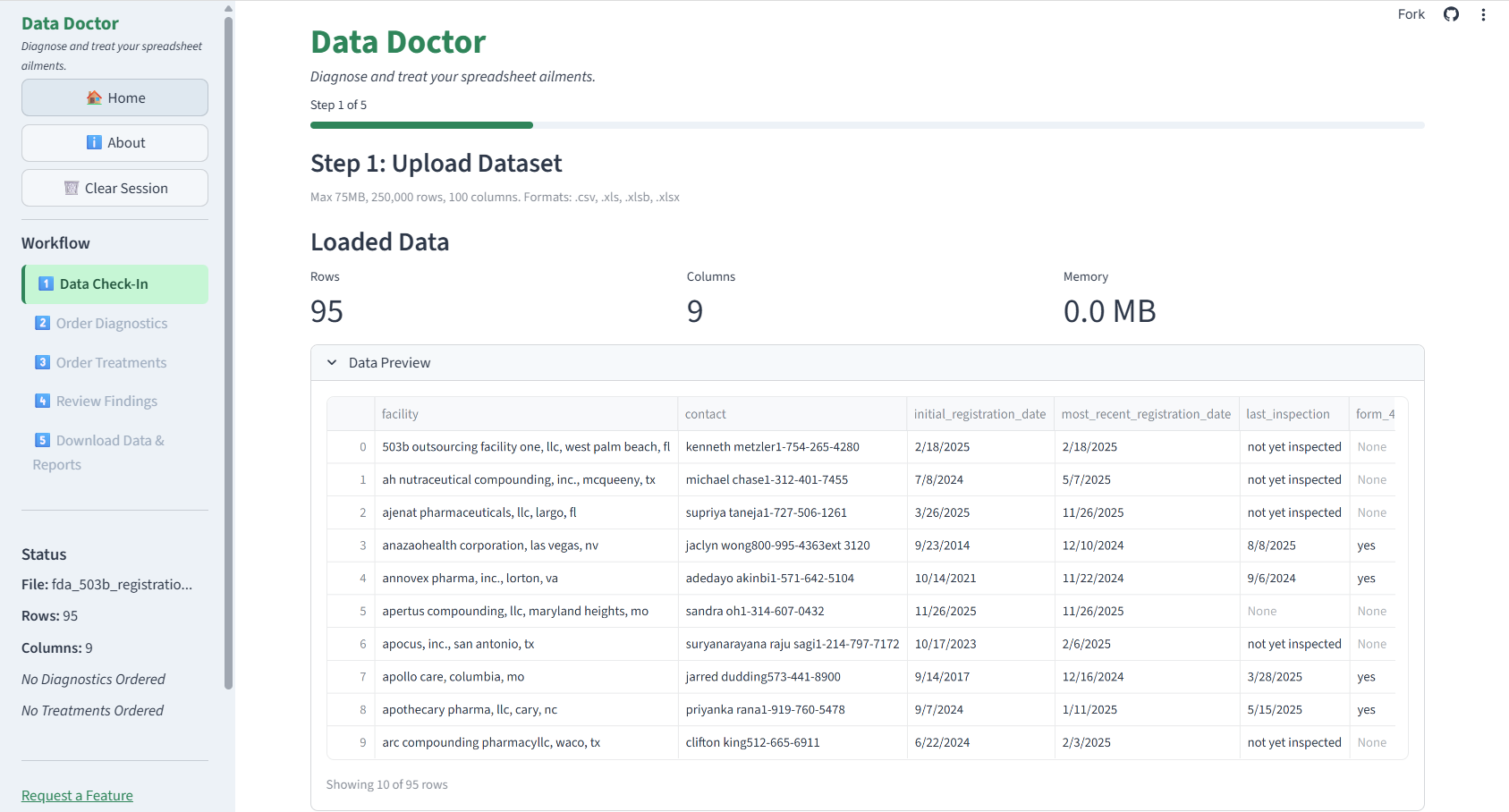
Step 1: Data Check-In. File upload interface with data preview and immediate feedback on file structure.
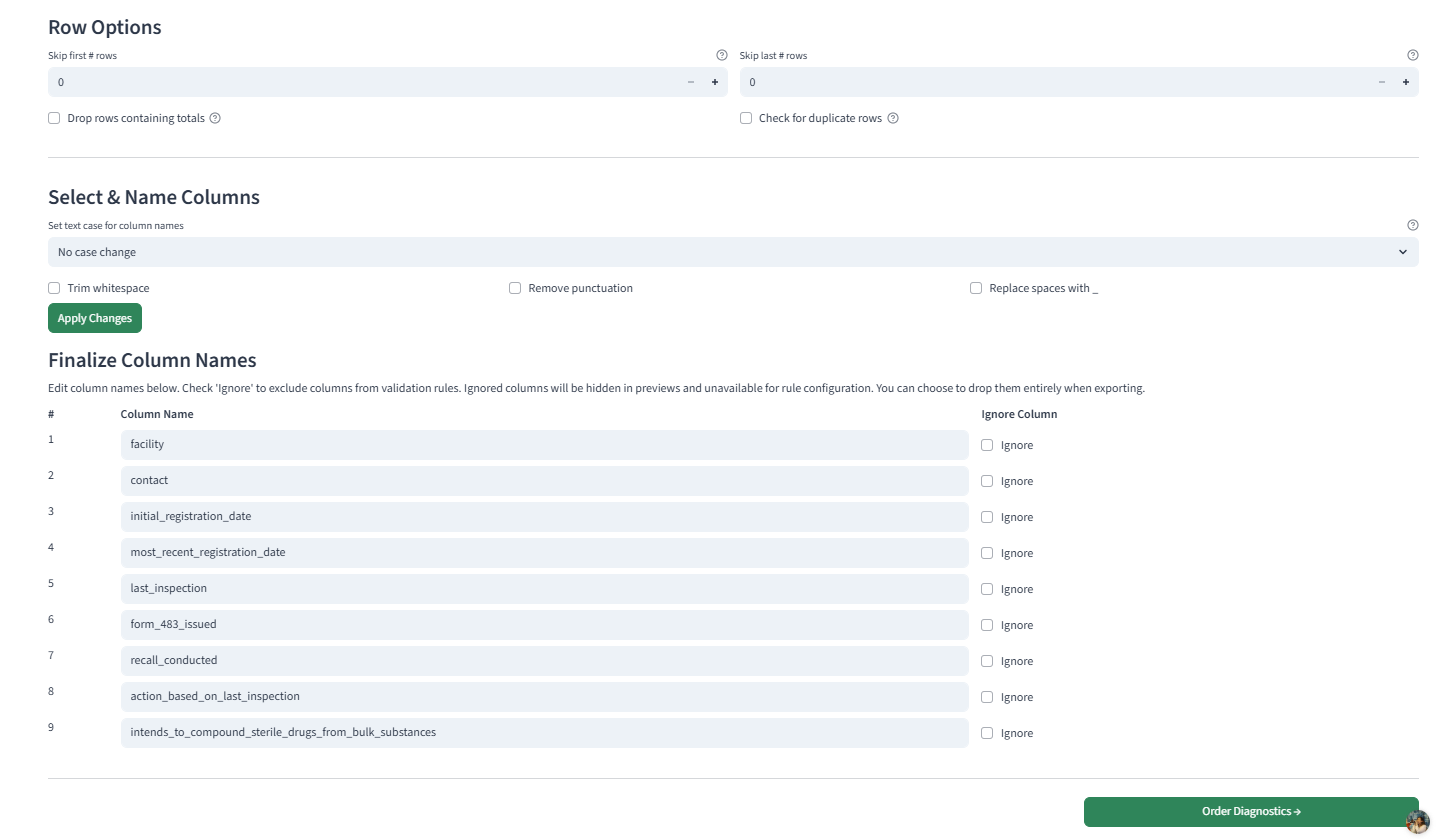
Column configuration allowing users to define expected types and structure before validation.
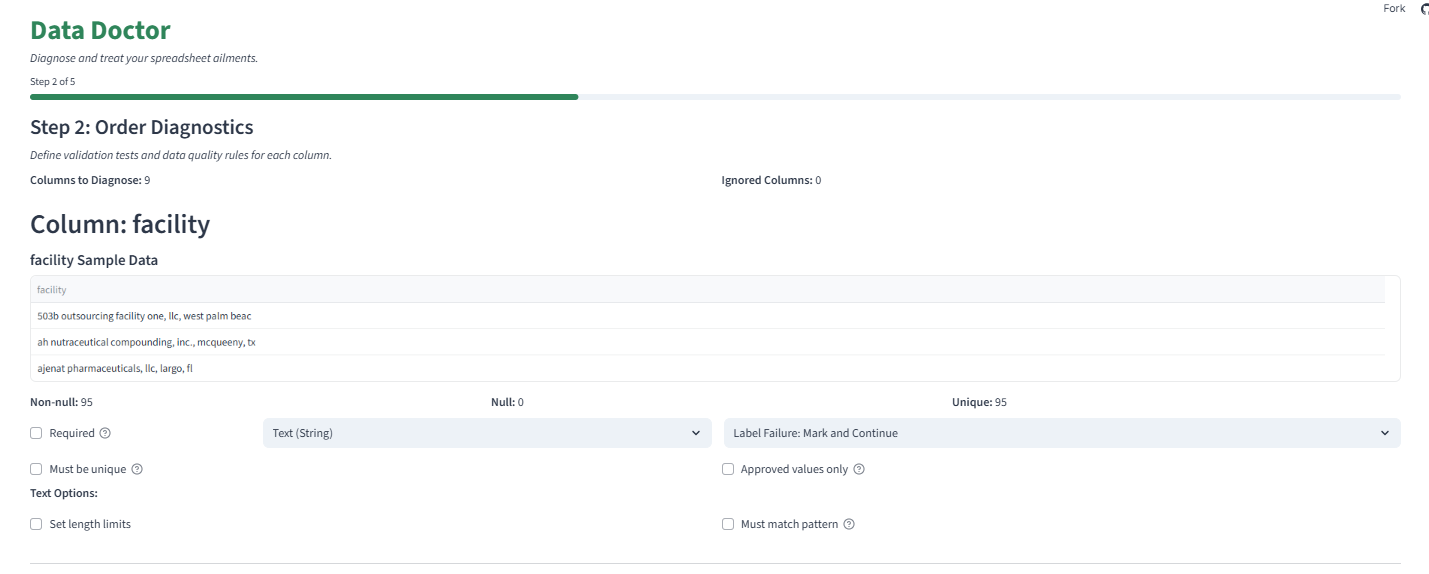
Step 2: Diagnostics. Define column-level validation rules using guided controls (nulls, types, ranges, enums, patterns).
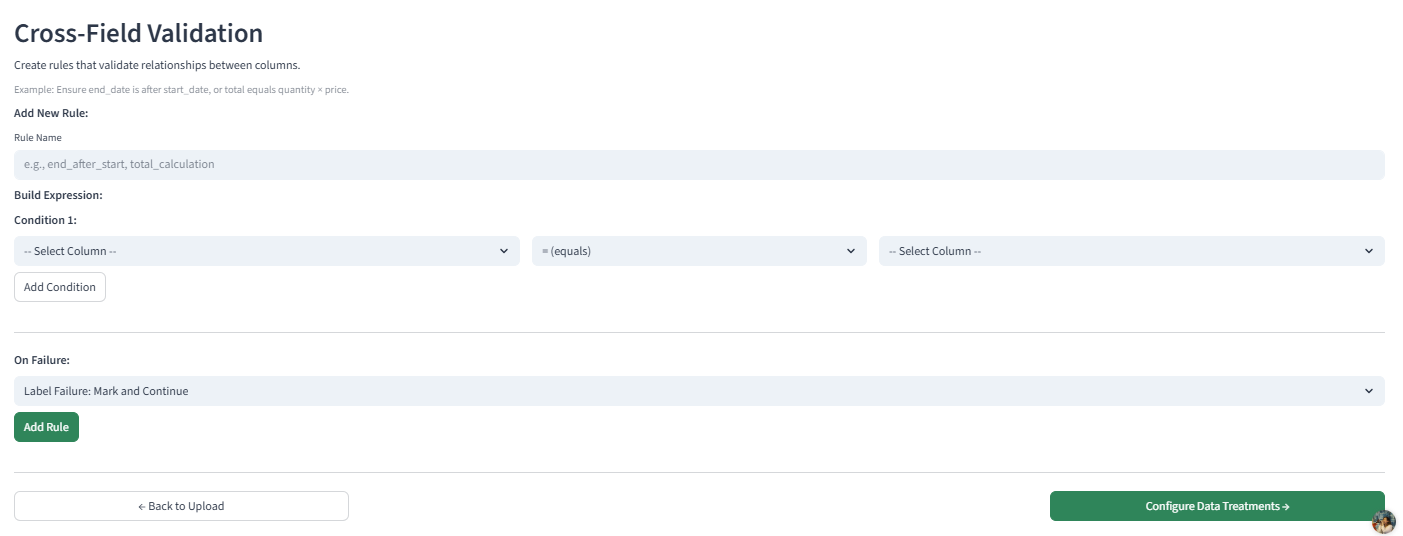
Visual cross-field rule builder for defining logical relationships between columns.
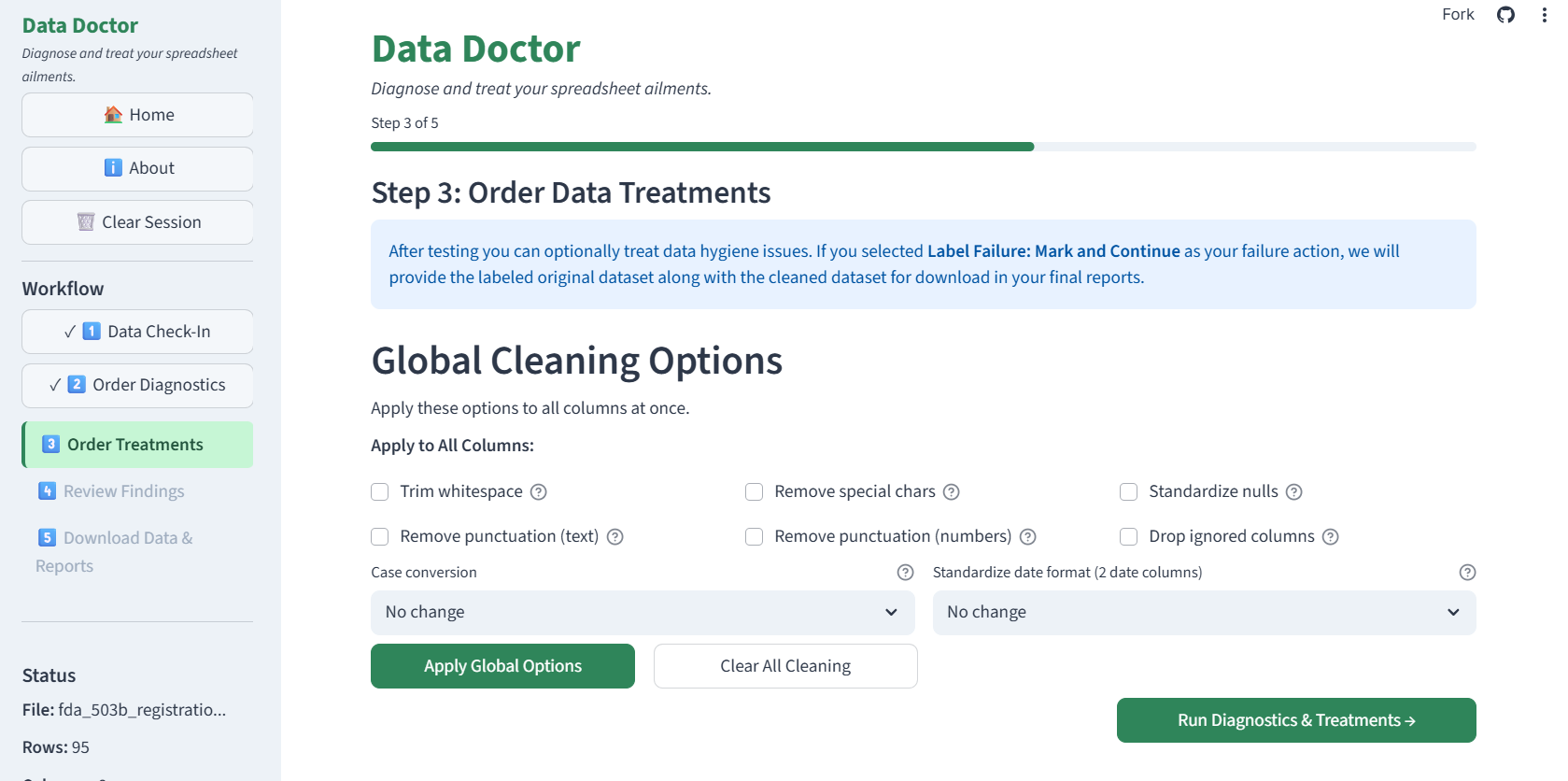
Step 3: Treatments. Configure data cleansing actions including whitespace trimming, case normalization, and failure-handling strategies.
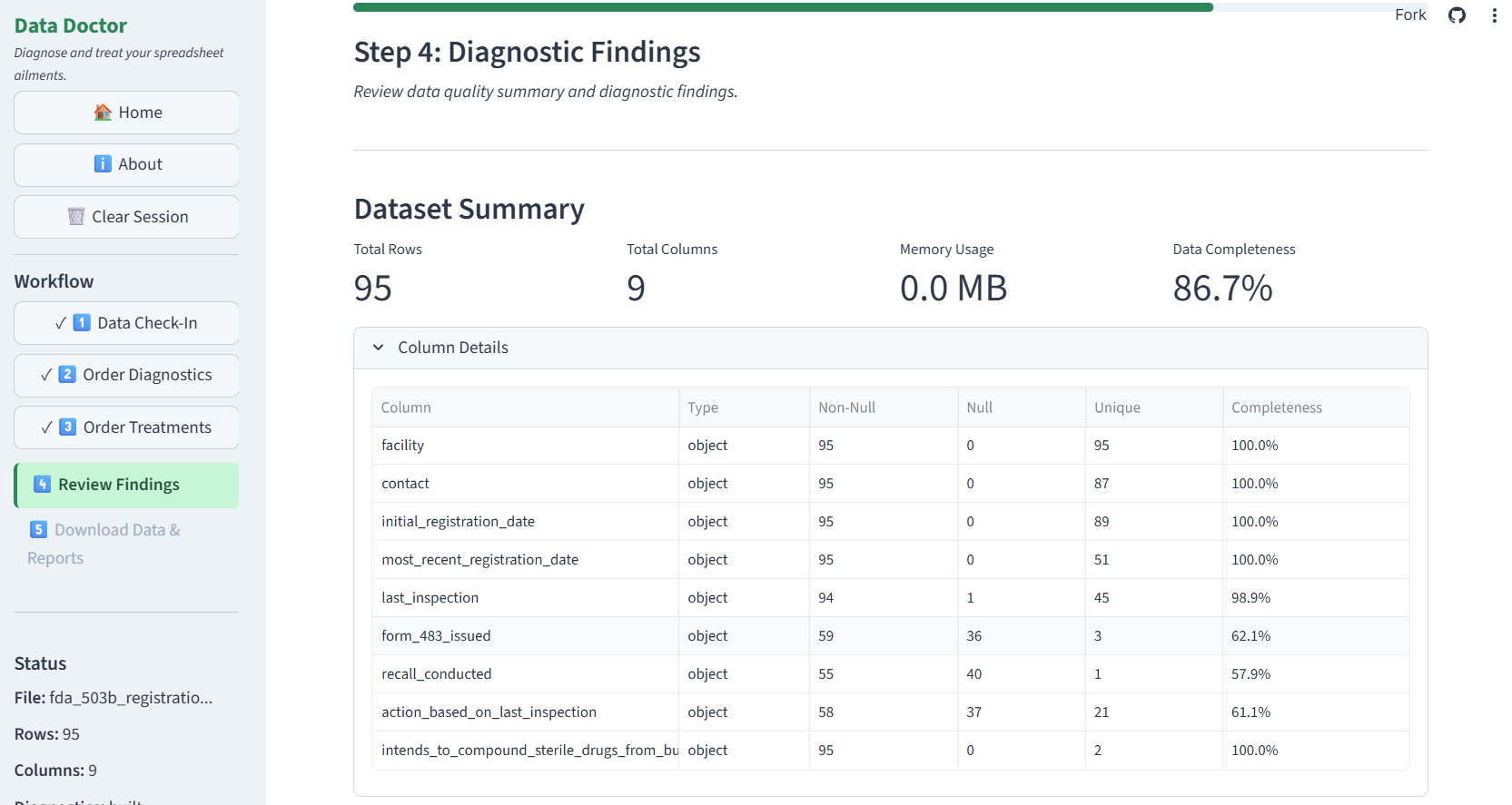
Step 4: Findings. Review validation results with summary statistics and failure counts.
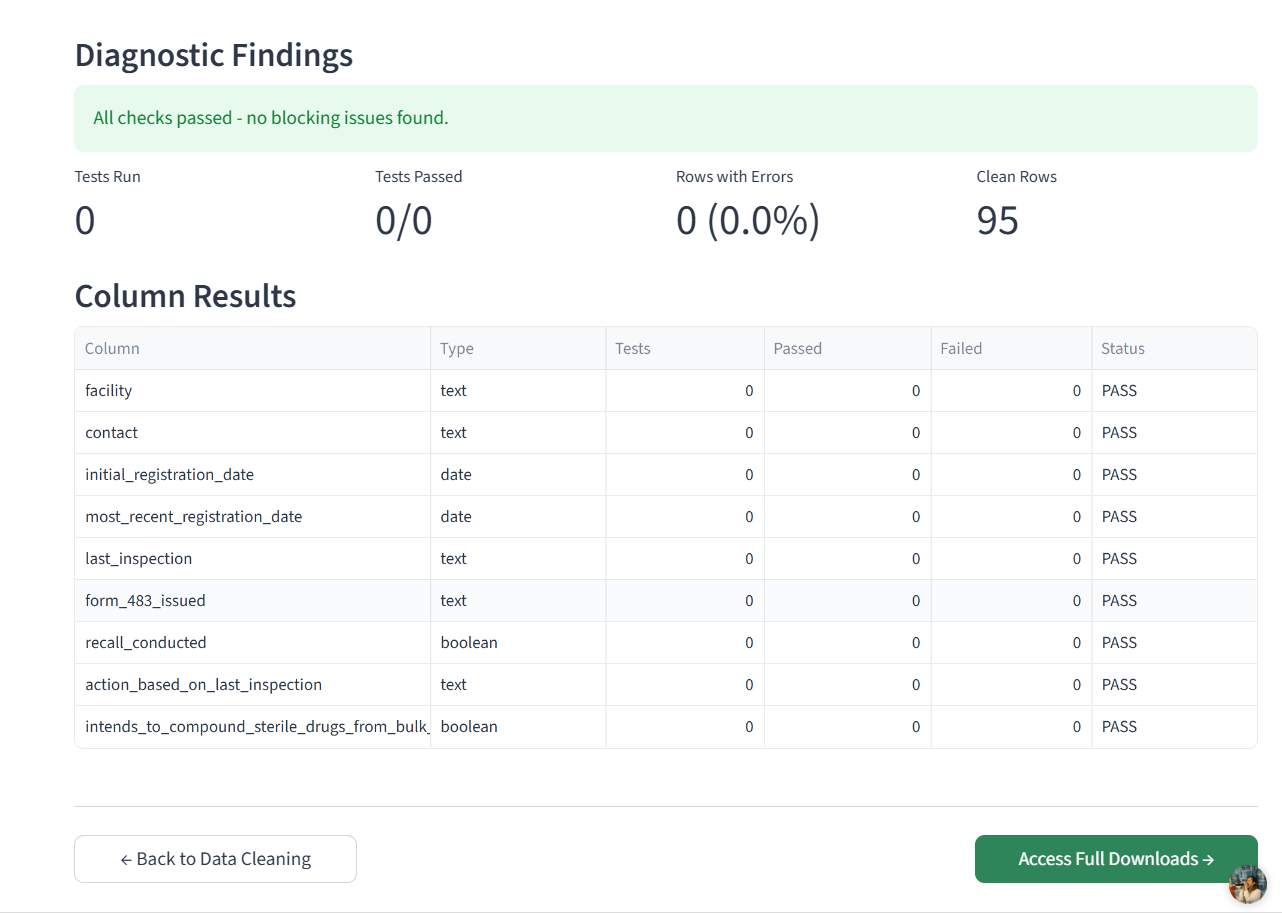
Detailed row-level validation findings with actionable information for remediation.
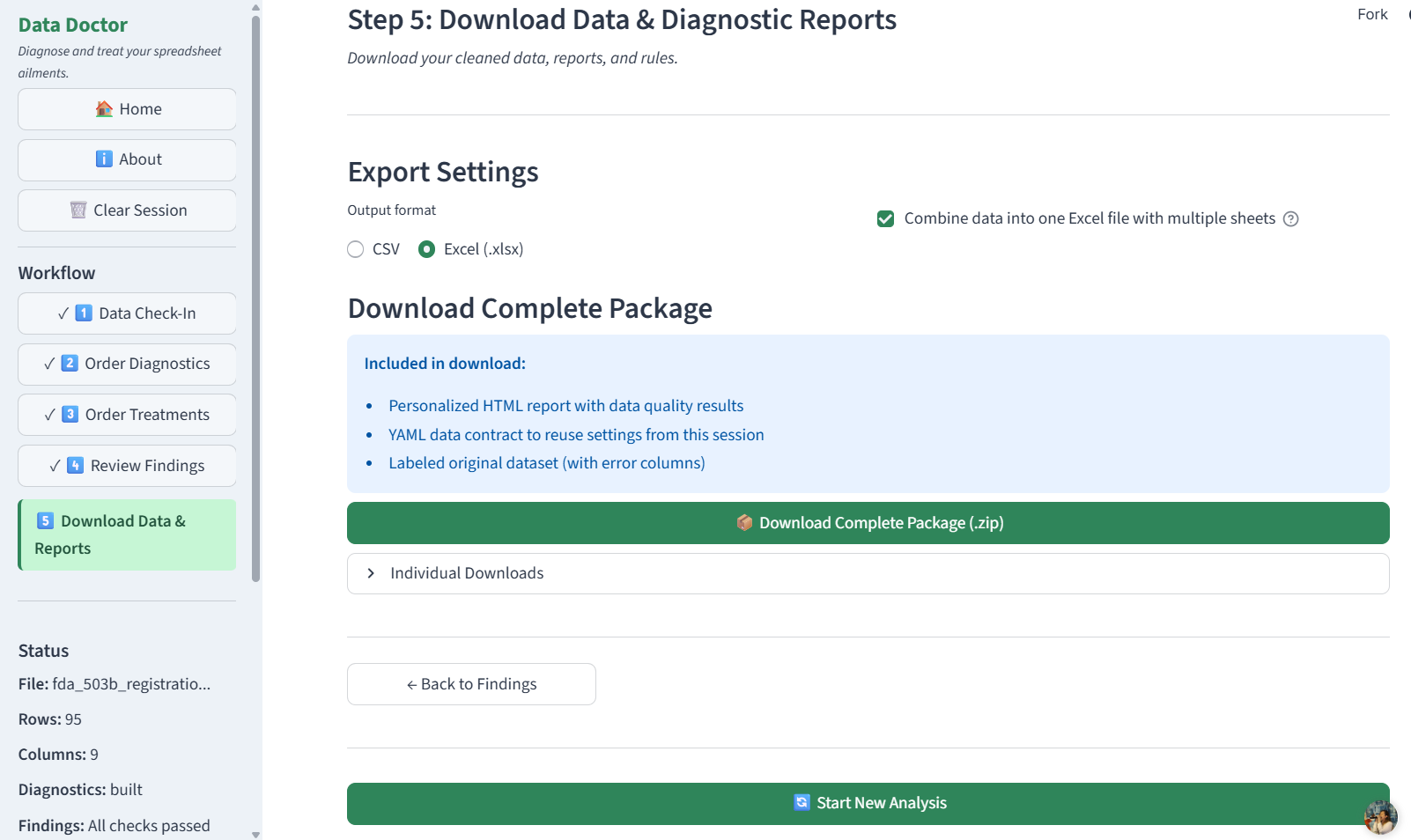
Step 5: Exports. Download cleaned datasets, interactive HTML reports, and reusable YAML data contracts.
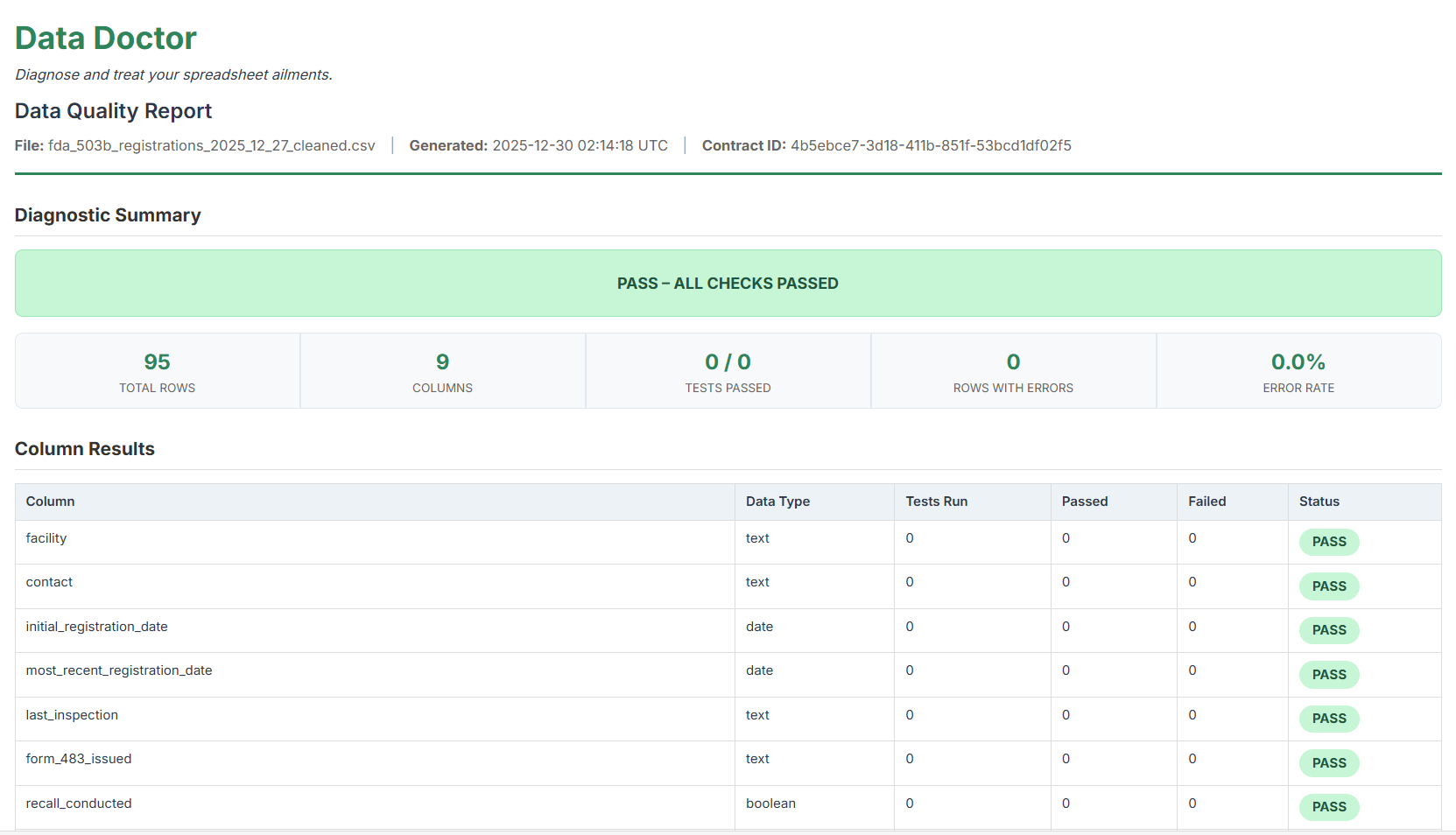
Sample interactive HTML report showing validation summary and findings in a shareable format.
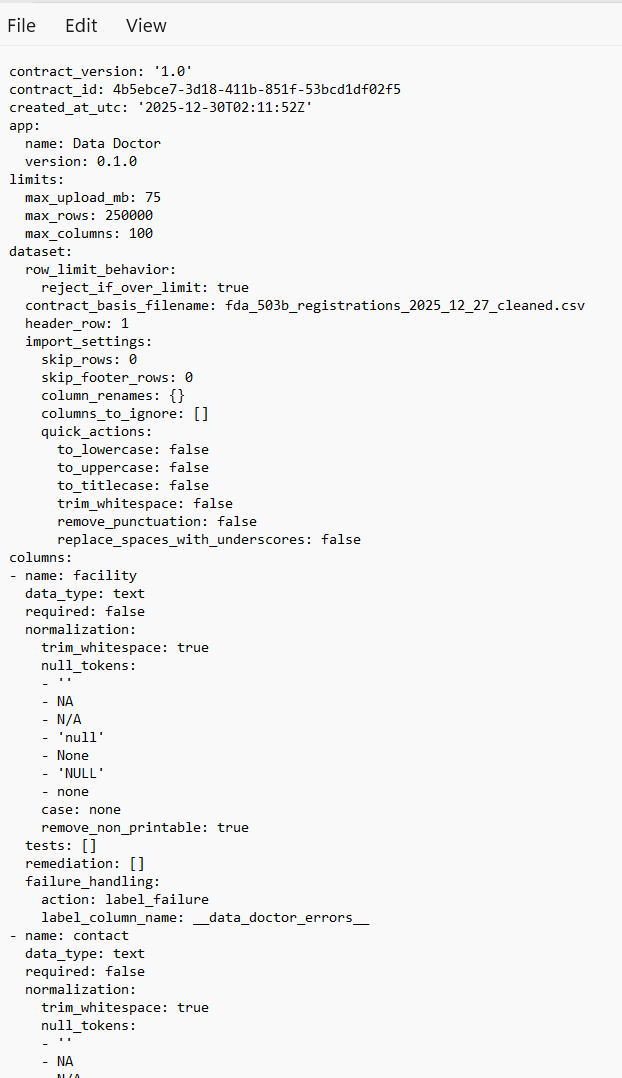
Sample YAML data contract capturing validation rules and transformations for reuse across monthly or recurring files.
Validation & Remediation Engine
Data Doctor supports comprehensive validation without requiring code.
Validation Capabilities
- 11 column-level tests (nulls, types, ranges, enums, patterns, uniqueness, dates)
- Dataset-level tests including duplicate detection and cross-field logic
- Visual cross-field rule builder for logical relationships
Remediation Options
- Whitespace trimming, case normalization, punctuation removal
- Numeric cleanup and boolean normalization
- Date coercion and null standardization
- Flexible failure strategies: label, quarantine, drop, or strict fail
Reusable YAML Data Contracts
To avoid accounts while still enabling persistence, Data Doctor introduces portable YAML data contracts. These contracts capture validation rules, transformations, and column mappings in a human-readable format.
- Portable and version-controllable
- Readable by non-technical users
- No vendor lock-in
- Reusable across monthly or recurring files
Privacy-First Architecture
Privacy constraints were treated as design requirements rather than tradeoffs.
- No databases or persistent storage
- Session-scoped, in-memory processing only
- Automatic cleanup on reset or browser close
- Formula-injection protection on all exports
Technical Architecture
- UI: Streamlit with modular components
- Processing: Pandas and NumPy
- Validation: Custom rule engine with dataclass models
- Contracts: YAML via PyYAML
- Deployment: Streamlit Community Cloud
The codebase emphasizes separation of concerns, typed models, and explicit orchestration between validation, remediation, and reporting layers.
Who This Was For
Data Doctor was designed for analysts, accountants, supply chain professionals, and operations teams who regularly inherit spreadsheets they didn't create—but are responsible for making decisions from them.
What This Project Demonstrates
- Product thinking grounded in real user pain
- UX design for non-technical stakeholders
- Privacy-by-design system architecture
- Advanced data validation and transformation patterns
- Clean, modular, production-quality Python code